I’m starting the week with a fresh perspective on organization. My journey with peptides and supplements has taught me the value of staying mindful, and today I’d love to share how I keep everything on track. I work very well with schedules and I prefer to offload as much as possible from my mind into a process and a system of reminders and trackers.
Managing My Supplements
For supplements, I’ve found a system that works with my busy schedule. I buy them in bulk, storing all individual bottles in one accessible box to keep things simple and clutter-free. To organize my daily intake, I use pill boxes with four compartments labeled for morning, afternoon, evening, and before sleep.
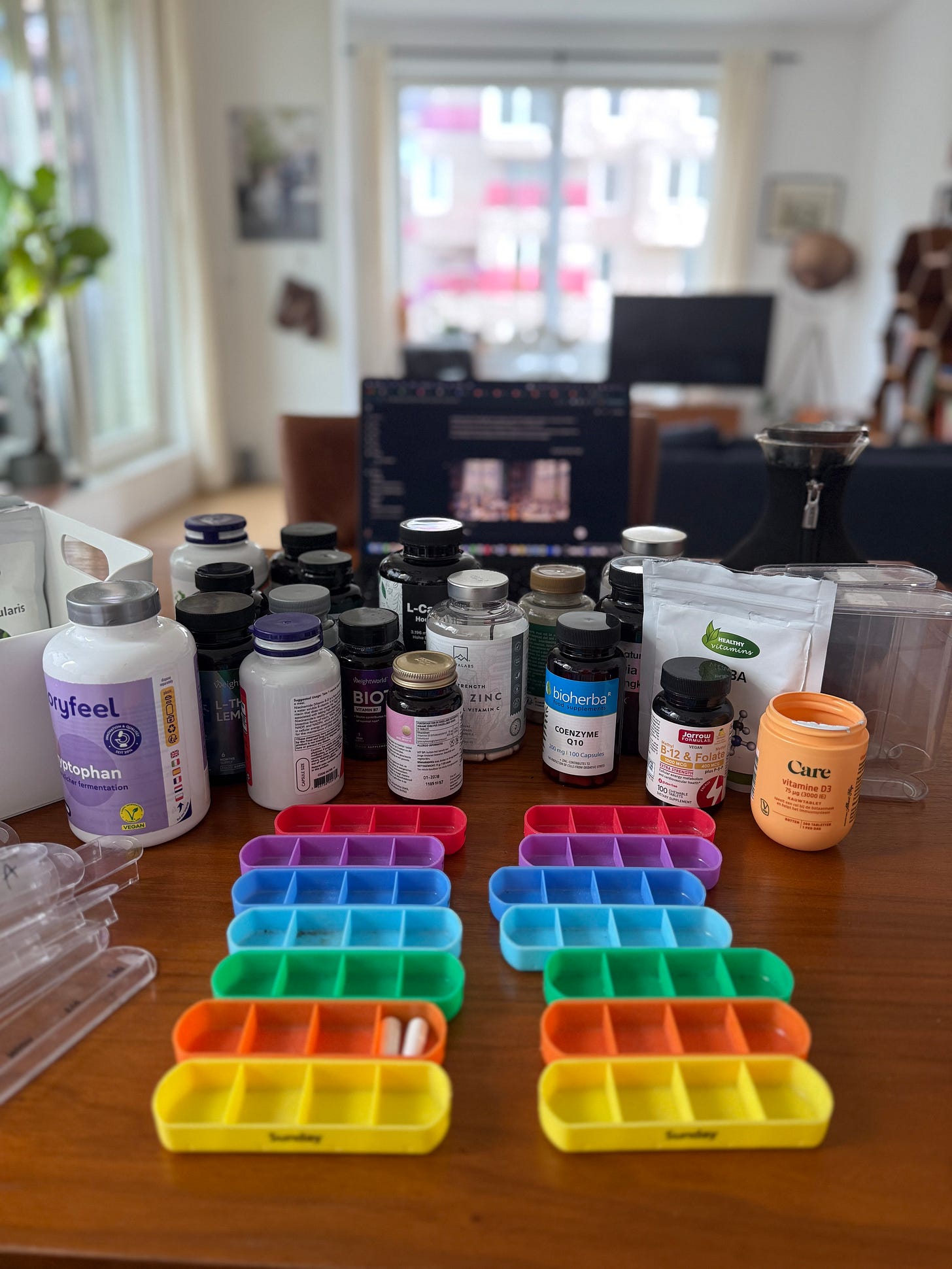
This setup ensures I stay consistent and added benefit is that these pill boxes remind me what day of the week it is.
Tracking My Peptides
Peptides require a bit more detail, given their specific dosages and cycles. I created an Excel file to log everything meticulously—here’s a template you can download to adapt for yourself. It includes key fields to monitor my progress:
Date
Day of Week
Peptide Name
Dosage (mg/mcg)
Time of Administration
Injection Site
Subjective Notes (energy, sleep, libido, mood)
Objective Data (weight, glucose, BP, HR)
Side Effects
Peptide Source/Batch
Vial Remaining (Yes/No)
Next Dose Due?
Cycle Week
This spreadsheet has been a game-changer, letting me reflect on how Semaglutide or Ipamorelin affects me over time and adjust as needed. I update it after each dose, noting how I feel or any measurable changes.
Here is the template you can see google doc here
Handy Alternatives
If Excel isn’t your preference, I’ve discovered a free iPhone app called SubQ (https://apps.apple.com/us/app/subq/id6472742846) that’s perfect for tracking peptide schedules and injection sites—a great tool for staying organized on the go. Another option is the built-in Apple Medication Tracker, though it lacks injection site logging, which I find essential for rotating spots and avoiding irritation.
Why It Matters
Keeping track is more than just habit—it’s about understanding what works for my body as a founder managing stress and health. It helps me spot patterns, ensure safety with proper dosing, and share my journey authentically with you. Whether it’s noting a lift in mood from BPC-157 or a dip in weight with Semaglutide, this discipline fuels my learning.
Disclaimer
This is my personal approach and not medical advice—please consult your healthcare provider before starting peptides or supplements. Results vary, and this content isn’t endorsed by any regulatory body. I’m not liable for outcomes, and these are for research purposes—check local laws.
This post first appeared on Substack. Read the original, leave a comment, or subscribe to get the next one in your inbox.
Comments live on Substack. Subscriptions are free and go out every other Sunday.